

Meta Title: Expert iPhone Charging Port Repairs in Brisbane | Screen Fixed
Meta Description: Can't charge your iPhone? Learn to diagnose, clean, and fix charging port issues. Get fast, professional iPhone charging port repairs in Brisbane.
Is your iPhone refusing to charge? Before you jump to booking an iPhone charging port repair, it’s worth taking a moment to confirm the port is actually the problem. More often than not, the real issue is much simpler—think a dodgy cable or a bit of pocket lint—which can be sorted in minutes at no cost. A genuine hardware failure, on the other hand, usually shows up as a loose connection or visible damage right inside the port.
Why Your iPhone Might Not Be Charging
When your iPhone stubbornly refuses to charge, it’s natural to assume the worst. But before you start looking for professional iPhone repairs, let's do a bit of detective work first. Charging problems often come from simple, fixable things that don't need a full-blown component replacement. Getting the diagnosis right from the start can save you a whole lot of time, money, and stress.
It’s a bit like a car that won’t start. You wouldn’t replace the entire engine without first checking the battery and making sure it has fuel. The same logic applies here. We need to rule out the most common and simple culprits before we can say for sure that the charging port itself is dead.
alt text: Diagnostic check of an iPhone charging port in Brisbane.
Ruling Out the Obvious Suspects
First things first, let's check your accessories. The problem might not even be with your iPhone at all, but with the gear you're using to power it up.
H3: Test Your Cable and Adapter
- Try a Different Cable: Charging cables, especially the cheap, non-certified ones, are famous for failing. The delicate wires inside can easily break from all the bending and flexing. Grab another cable that you know works and try it. If your iPhone springs to life, you’ve found your culprit.
- Check the Power Adapter: It's less common, but power adapters can fail too. Plug your cable into a different USB power brick or even a computer’s USB port to see if that gets things going.
- Clean the Connection Points: Give both the Lightning or USB-C end of your cable and the power adapter's USB port a quick check to make sure they're clean and free of any gunk.
This simple process of elimination is crucial. If you’ve tried multiple cables and power sources and your phone still won’t charge, then you can start focusing on the iPhone's port with a lot more confidence.
H3: Inspect for Debris and Physical Damage
You’d be surprised, but the single most common reason for an iPhone to stop charging is a blocked port. Over time, pocket lint, dust, and other tiny bits of debris get packed down into the port every single time you plug in the cable. Eventually, this buildup stops the charger from making a clean electrical connection.
Shine a bright light into the charging port. You might see a dense, greyish layer of lint packed right at the bottom. This is actually good news—it’s a problem you can usually fix yourself with a bit of care.
Next, look for any signs of physical damage. Are any of the tiny gold contact pins inside the port bent, broken, or looking discoloured? If you see any green or white corrosion, that’s a dead giveaway for liquid damage. If the port feels wobbly or loose when you plug the cable in, that’s a strong sign of internal damage.
A classic diagnostic is the "wiggle test." If you have to hold the cable at a specific angle or jiggle it just to get a connection, the internal solder joints or the port itself are likely damaged. This almost always means it’s time for a repair.
Charging port issues are incredibly common here in Australia. They're consistently one of the top five most frequent iPhone repairs. In fact, some data suggests that a staggering 90-95% of charging "failures" are just caused by simple debris, not an actual hardware fault.
H3: Charging Problem Symptom Checker
To help you narrow things down, use this quick reference table to match your iPhone's symptoms to the most probable cause.
| Symptom | Most Likely Cause | Recommended First Action |
|---|---|---|
| Won't charge at all, no icon appears | Debris in port, faulty cable/adapter, or dead battery | Carefully clean the port, then test with a known-good cable and adapter. |
| Charges intermittently or requires "wiggling" | Damaged port, loose internal connection, or worn-out cable | Perform the "wiggle test." If it fails, the port likely needs replacement. |
| "Accessory Not Supported" error message | Non-certified/damaged cable or liquid damage/corrosion | Try an official or MFi-certified cable. Inspect the port for corrosion. |
| Charges very slowly | Faulty power adapter, software glitch, or battery health issue | Use a higher-wattage adapter and check Battery Health in Settings. |
| Phone gets very hot while charging | Faulty battery, damaged port, or logic board issue | Stop charging immediately. This could be a safety risk. |
This table should give you a solid starting point for figuring out what’s going on with your device.
H3: Understanding Advanced Port Failures
If you’ve cleaned the port and checked all your accessories but still have no luck, you might be dealing with a more complex hardware issue. The charging port isn't a standalone part; it’s connected to a delicate flex cable that links to the iPhone's main logic board. Damage anywhere along this chain can stop it from charging.
Sometimes, the problem isn’t even the port itself but a related chip on the logic board, like the Tristar or Hydra IC that manages USB functions. A fault like this requires specialised micro-soldering to fix and is well beyond a simple part swap.
If you’re comfortable with electronics, you can go a step further and test for continuity with a multimeter to diagnose deeper circuit-level problems. For a full walkthrough, check out our guide on how to test continuity with a multimeter on our blog. Ultimately, if your initial diagnostics point towards any kind of internal damage, it’s best to leave it to the professionals.
Safely Cleaning Your Charging Port at Home
So, you've figured out a blocked port is likely the culprit behind your charging woes? Good news. A careful clean is often all it takes to get your iPhone charging again, saving you a trip to the repair shop. But this is a delicate operation; the charging port houses sensitive pins that are easily damaged if you're not careful.
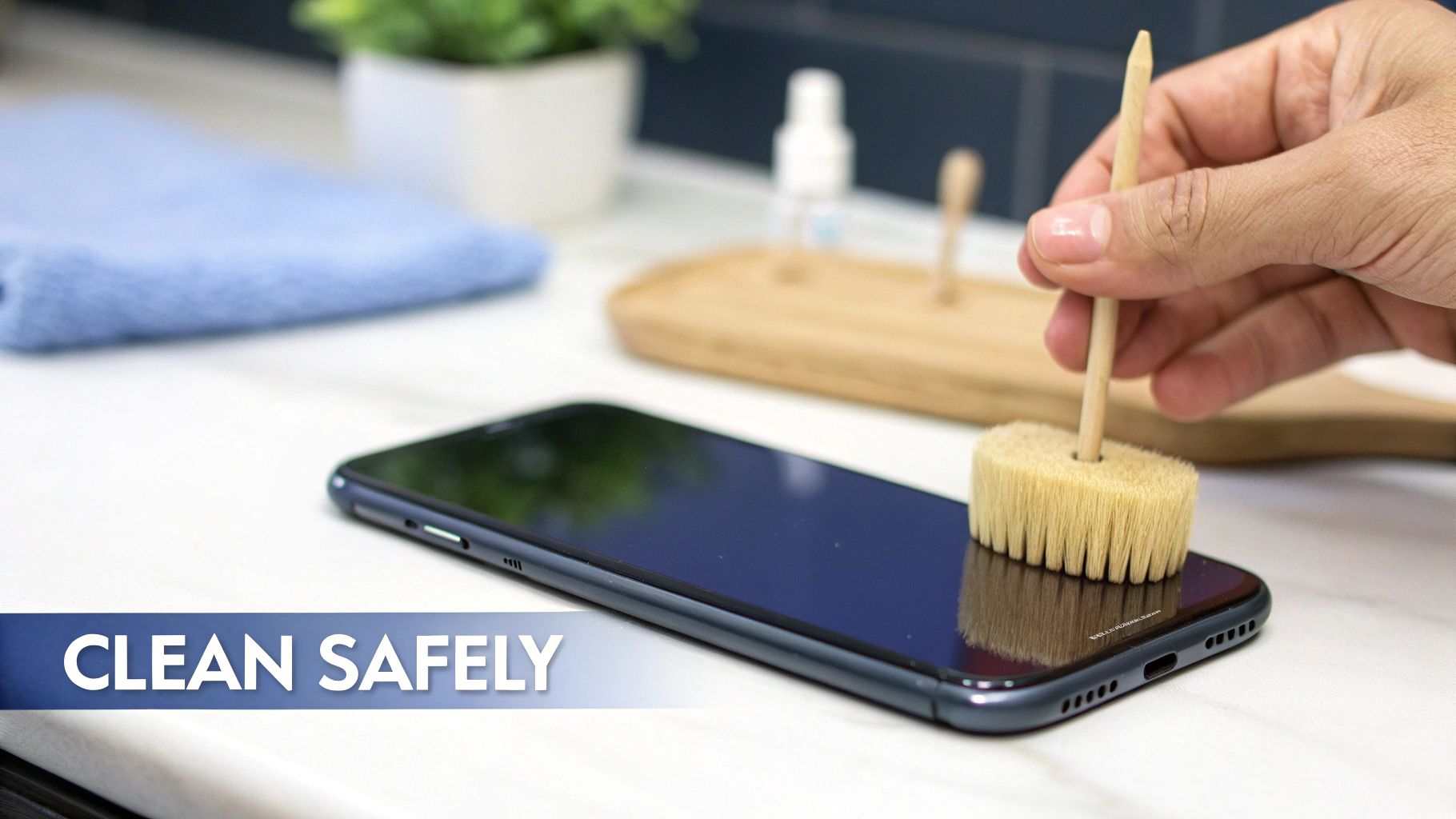
alt text: A technician carefully cleaning an iPhone charging port with a small brush.
First thing's first: always power down your iPhone completely. This is a non-negotiable safety step to prevent any accidental short circuits while you work. Make sure you're in a well-lit area so you can actually see what you're doing inside that tiny port.
H3: The Right Tools for the Job
This is probably the most critical part of the process. Your goal is to dislodge debris without scratching or bending anything inside. The tool you choose can be the difference between a quick fix and needing professional iPhone charging port repairs.
Here’s what you should have on hand:
- A Wooden or Plastic Toothpick: These are your best friends for this job. They're non-conductive and soft enough that they won’t scratch the metal contacts. You can gently scrape along the inner walls of the port to loosen up that stubborn, compacted lint.
- An Anti-Static Brush: If you have one, a specialised electronics cleaning brush is perfect. The fine, non-conductive bristles can sweep out dust from tight corners without creating static electricity that could fry your phone's internals.
- Compressed Air (With a Big Caveat): A can of compressed air works, but you have to use it correctly. Hold the can upright and a good distance from the port, then use short, angled bursts to blow the debris out, not further in.
Whatever you do, never use metal objects. That means no paper clips, safety pins, or tweezers. Sticking conductive metal into the port is a surefire way to short-circuit the pins, causing permanent damage that will definitely land you in a repair shop.
H3: A Gentle Cleaning Technique
Take your non-conductive tool and gently insert it into the charging port. The key here is to be patient and methodical. Slowly and softly scrape along the sides and bottom of the port, trying to hook and pull out any packed-in gunk.
You'll probably be shocked at how much lint and dust comes out. I've seen chunks come out that have clearly been building up for years. Once the big stuff is out, a quick, angled blast of compressed air can clear out any remaining dust particles. If you're still stuck after a good clean, our article on what to do if your phone is not charging has more tips.
Remember, the aim is to scoop the debris out, not to push it further in. Work from the inside out with gentle, careful movements. If you feel any significant resistance, stop immediately to avoid damaging the pins.
H3: What to Avoid During Cleaning
Knowing what not to do is just as important. A simple mistake here can turn a five-minute job into a much more serious and expensive problem.
Common Cleaning Mistakes:
- Using too much force: Those little pins are fragile. Pushing too hard can easily bend or break them, killing the connection for good.
- Spraying liquids or cleaners: Never, ever spray anything directly into the port—not even isopropyl alcohol. Liquid can seep inside and cause corrosion or short out the logic board.
- Using your breath: Blowing into the port introduces moisture from your breath, which is the absolute enemy of electronics. It can lead to corrosion over time.
Stick to these guidelines, and you can safely get your iPhone's charging port looking brand new. If you've cleaned it thoroughly and you're still having no luck, the problem might be more than just a bit of lint. At that point, it’s probably time to consider getting some professional help.
Knowing When to Call in a Professional
While a gentle home clean can often work wonders, there are definite signs that your iPhone's charging issue is beyond a simple DIY fix. It's really important to know when to put the tools down. Pushing ahead when there's a deeper hardware problem can easily turn a manageable repair into a much more complex and expensive disaster.
Sometimes, the evidence is plain to see. If you shine a light into the port and spot visible corrosion—that ugly green or white residue—it's a sure sign of liquid damage. This isn't just surface gunk; it means moisture has seeped in and started to eat away at the delicate metal contacts. At this point, no amount of cleaning is going to save it. A professional replacement is your only option.
Likewise, any physical damage to the pins inside the port is an immediate stop sign for home repairs. If the gold contacts look bent, broken, or pushed back, the port is structurally compromised. Another major red flag is a physically loose connection. When you plug in your cable, does it feel wobbly or fail to "click" securely into place? That looseness points to broken internal solder joints, a problem that definitely requires a technician's touch.
H3: Identifying Deeper Hardware Failures
Beyond the obvious visible damage, some charging problems are just symptoms of a much more serious issue buried in your iPhone’s internal circuitry. These issues can cleverly mimic a simple port failure, tricking you into thinking it's an easy fix when it's anything but.
Here are a few scenarios where you absolutely need an expert:
- You've tried everything: You’ve carefully cleaned the port and tested multiple known-good cables and chargers, but the phone still won't charge reliably. This strongly suggests the fault lies deeper within the device.
- The phone gets dangerously hot: If your iPhone becomes unusually hot when you try to charge it, unplug it immediately. This can signal a short circuit in the port or on the logic board itself, which is a serious safety hazard.
- It won't talk to your computer: Remember, your charging port is also your data port. If your computer doesn't recognise the iPhone when you plug it in (and you've ruled out cable issues), it often points to a failure in the flex cable assembly connected to the port.
It's critical to understand that the charging port isn't an isolated component. It's part of a complex flex cable that often integrates microphones and even antenna connections. A fault here requires a delicate replacement of the entire assembly, not just the port.
H3: When It's a Logic Board Problem
The most complex scenario is when the charging port itself is perfectly fine, but the fault is on the iPhone’s main logic board. Specific chips on the board are responsible for managing power and USB functions. If one of these fails, your phone will stop charging, but replacing the port won't do a thing to fix it.
This is where specialised micro-soldering skills come into play. Technicians use high-powered microscopes and incredibly fine tools to replace these tiny, individual components on the logic board. This is a highly skilled repair that is worlds away from a standard part swap and should only ever be attempted by seasoned professionals. When choosing a technician, understanding how professional repair services manage their online reputation can provide valuable insight into their quality of work and customer care.
Ultimately, knowing your limits is key. If you've tried the basics without success or you see any signs of physical or liquid damage, it's time to contact an expert. Continuing to poke and prod can easily risk permanent damage to the logic board. For reliable and skilled help, seeking professional assistance ensures the job is done right, preventing further complications and getting your device back to 100%.
You can find more information about different types of mobile phone repairs in our detailed guide.
Cracking the Code on iPhone Charging Port Repair Costs
When your iPhone refuses to charge, the first question that pops into your head is probably, "How much is this going to set me back?" It's a perfectly reasonable question, and the answer isn't always cut and dry. The price for an iPhone charging port repair can swing quite a bit, really depending on your specific iPhone model, how tricky the repair is, and where you take it.
Getting a handle on the potential costs upfront means you can make a smart decision without any unpleasant surprises down the track. Let's dig into what actually drives the price, so you can figure out a budget and know what to expect.
H3: Why Newer Models Cost More to Fix
You'd be forgiven for thinking a charging port is just a charging port, but that's far from the truth with modern iPhones. The repair cost is almost always linked to how new and complex your device is. A fix for an older iPhone 8 will nearly always be cheaper than for a shiny new iPhone 15, and there's a solid reason for that.
On older models, the charging port was a relatively simple, standalone component. But as iPhones got slicker, the charging port became just one part of a much larger, more complicated flex cable assembly. This one piece often pulls double duty, integrating other vital parts like:
- Microphones for your phone calls and voice notes.
- Antennae to ensure you get a decent mobile signal.
- Taptic Engine connectors on certain models.
This means a technician isn't just swapping out a simple port anymore. They're carefully replacing a delicate, complex ribbon that weaves its way through the guts of your phone. The newer the iPhone, the more technology gets crammed onto this single assembly, making the part itself pricier and the whole repair process a much more delicate operation.
H3: Independent Shops vs. Apple Authorised Services
Where you get your phone fixed makes a huge difference to the final bill. Your two main choices are usually an independent repair shop, like Screen Fixed Brisbane, or an official Apple Authorised Service Provider.
Independent shops often deliver fantastic value. Because they source high-quality parts directly from suppliers, they can usually offer much better pricing for out-of-warranty repairs. They also have the know-how to perform component-level fixes that an authorised provider might not even attempt, potentially saving you from a far more expensive full unit replacement.
On the flip side, Apple's own service centres tend to be the more expensive route for any work not covered by warranty. They use original parts, sure, but their pricing structure is often significantly higher. For a common problem like a busted charging port, a trusted local expert can often achieve the exact same result for a fraction of the cost, and usually get it back in your hands faster too.
A key thing to remember is that the price should cover more than just the part. It should include the technician's time and expertise, plus a warranty on their work. Any decent repair shop will be upfront about what's included in their quote.
H3: Estimated iPhone Charging Port Repair Costs in Australia
When you're trying to budget for a repair, it helps to have a rough idea of what you might be up for. The cost can vary based on your iPhone model and where you go, but here’s a general guide to what you might expect to pay in Australia.
| iPhone Model | Independent Repair Shop (e.g., Screen Fixed) | Apple Authorised Service (Out-of-Warranty) |
|---|---|---|
| iPhone 8 / 8 Plus | $89 - $109 AUD | $489 AUD (Full "Other Damage" replacement) |
| iPhone X / XR / XS | $109 - $129 AUD | $629 - $889 AUD (Full "Other Damage" replacement) |
| iPhone 11 Series | $129 - $149 AUD | $629 - $969 AUD (Full "Other Damage" replacement) |
| iPhone 12 Series | $149 - $179 AUD | $699 - $889 AUD (Full "Other Damage" replacement) |
| iPhone 13 Series | $179 - $229 AUD | $809 - $969 AUD (Full "Other Damage" replacement) |
| iPhone 14 / 15 Series | $249+ AUD (Call for quote) | $1049+ AUD (Full "Other Damage" replacement) |
Note: Prices are estimates as of late 2023 and can vary. Apple often doesn't repair just the port out-of-warranty, instead offering a full unit replacement at a much higher cost.
This table shows a clear trend: as models get newer and more complex, the cost at independent shops rises moderately, while Apple's out-of-warranty fees become incredibly steep. For instance, data from Melbourne-based Total Mac Solutions shows older models like the iPhone 8 can be fixed for between $49 and $99 AUD, which lines up with the value offered by independent specialists.
Ultimately, this financial overview should help you set realistic expectations. Your best first move is always to get a quote from a local service like iPhone Repairs Brisbane. They can give you a precise price after a quick diagnostic, so you know exactly what the job involves before you commit. That kind of transparency is key to a stress-free repair that gets your phone working again without costing a fortune.
A Look Inside the Professional Repair Process
Handing your iPhone over for a repair can feel a bit like a leap of faith, but it doesn't have to be. When you choose a reputable service, you're tapping into a streamlined and transparent process designed to get your device working perfectly again, fast. Understanding what actually happens behind the counter can really help demystify the experience and give you some peace of mind.
The journey begins the moment you hand your phone over. A skilled technician won't just jump straight into swapping parts. The first, and most crucial, step is a thorough diagnostic to confirm that the charging port is actually the source of the trouble. This involves more than just plugging it in; they'll inspect the port under magnification for physical damage, check for signs of liquid ingress, and run tests to rule out deeper issues with the battery or logic board.
H3: The Diagnostic and Repair Workflow
Once the problem is confirmed to be the port, the real work begins. The repair itself is a precise operation that involves carefully opening the device and, most importantly, disconnecting the battery to ensure safety. For most iPhones, the charging port is part of a larger, intricate flex cable assembly, which often includes the primary microphone and even antenna connections.
The technician meticulously removes the old, faulty assembly and installs a brand-new, high-quality replacement. This isn't just a simple plug-and-play job; it requires a steady hand and a deep understanding of the iPhone's internal architecture to avoid damaging other sensitive components. After the new part is securely in place, the device is carefully reassembled, with new water-resistant adhesive applied to the frame to restore a degree of protection.
Of course, a crucial part of any professional repair process involves clear communication and customer satisfaction. Insights into building effective client relationships can be found by developing advanced sales and customer service skills, ensuring every customer feels informed and valued throughout the repair.
This professional workflow follows a clear, three-step process to ensure quality and reliability every time.
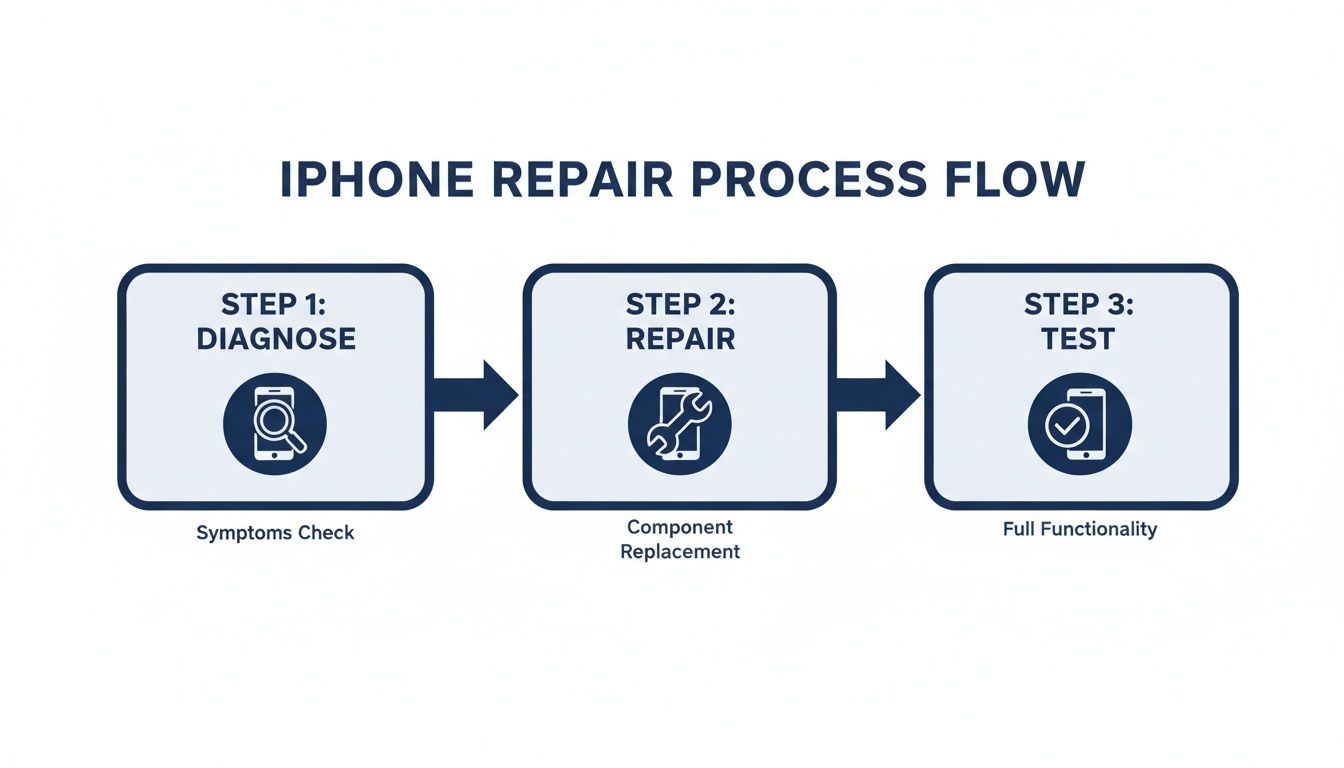
alt text: Flowchart showing the professional iPhone repair process from diagnosis to testing.
This simple flow from diagnosis to final testing ensures that the initial problem is correctly identified and that the solution is verified before the device is ever returned to you.
H3: Final Testing and Quality Assurance
The repair isn't finished once the screws are back in. The final stage is arguably the most important: comprehensive quality assurance testing. The technician will check multiple functions to ensure the repair was a complete success.
This includes:
- Charging Verification: Confirming the iPhone charges steadily and connects properly to a power source.
- Data Transfer Check: Ensuring the port can still transfer data by connecting it to a computer.
- Microphone Functionality: Making a test call or recording to verify the microphone on the new assembly is working correctly.
A professional repair is only complete when the device has passed every single post-repair check. This meticulous final step is what separates a reliable repair from a quick, shoddy fix. It’s the guarantee that your iPhone will function exactly as it should.
Thankfully, this entire process is surprisingly quick. In Australia, the turnaround for iPhone charging port repairs at independent shops is impressively fast, often taking just 15 to 30 minutes. Many services can perform the fix while you wait, a stark contrast to the multi-hour or even multi-day waits you might face elsewhere. This efficiency means you can get your phone back to full health without major disruption to your day.
Common Questions About Charging Port Repairs
Even after a solid diagnosis, it’s completely normal to have a few questions buzzing around before you commit to a repair. We get heaps of queries about iPhone charging problems from our customers here in Brisbane, so we've pulled together some straight answers to the most common ones.
This should help clear up any last-minute doubts you have about the process, the cost, and how to keep your iPhone's port in good shape for the long haul.
H3: Can I Just Use Wireless Charging Instead?
It’s a tempting thought, and for a little while, it can feel like a pretty clever workaround. But while wireless charging is a great feature, relying on it full-time isn't a real solution. Your charging port is so much more than just a power socket; it's the main hub for data and connectivity.
Think about it: that port is essential for getting the fastest charging speeds, offloading photos to your computer, and running local backups through iTunes or Finder. It’s also the only way to restore your iPhone if it ever hits a major software snag. Sticking to wireless charging alone really limits what your phone can do and could leave you high and dry when a charging pad isn't around. A proper repair brings back 100% functionality, which is a much smarter long-term strategy.
H3: Will a Repair Affect My iPhone's Water Resistance?
This is a big one, and a really important question to ask. The short answer is yes, anytime an iPhone is opened, the original factory-installed water-resistant seals are broken. There’s just no getting around that first step.
However, any reputable repair shop, including ours at Screen Fixed Brisbane, will carefully apply brand new, high-quality adhesive seals when putting your phone back together. It's a non-negotiable part of a professional job. These new seals do a fantastic job of restoring protection against everyday stuff like dust and light splashes.
While no third-party repair can legally reclaim the original IP rating (like IP68), professional technicians do everything possible to protect your device. The goal is always to get that seal as close to factory-perfect as we can, making sure your iPhone is ready to handle daily life again.
H3: How Can I Stop This from Happening Again?
Prevention is always the best cure. Once your port is clean or freshly repaired, a few simple habits can make a massive difference and dramatically lower the chances of this problem coming back.
Here are a few pro tips to keep your port in perfect nick:
- Watch Those Pockets: Jean pockets are notorious lint magnets. If you can, try to keep your phone in a cleaner pocket or a separate part of your bag.
- Do Regular Check-ups: Once a month or so, shine a torch into the port. If you see any gunk building up, gently fish it out with something soft and non-conductive, like an anti-static brush or a wooden toothpick, before it gets packed in tight.
- Use Quality Cables: Stick to Apple's own cables or ones that are MFi-certified (Made for iPhone). Cheap, knock-off cables often have poorly made connectors that can wear down or even damage the delicate pins inside your port.
- Be Gentle: This one's simple but effective. Avoid yanking the cable out on an angle. Always pull it straight out to minimise any stress on the port's internal structure. This tiny habit change can add years to its life.
H3: Do Newer USB-C Ports Have the Same Problems?
Yep, absolutely. While switching to USB-C on the newer iPhones is great for using the same cable for everything, the port is still a physical hole that's prone to the exact same issues as the old Lightning port. It can still get clogged with lint, dust, and whatever else is hiding in your pockets.
The internal pins are tough, but they're still vulnerable to damage from being jammed in too hard, getting wet, or using dodgy accessories. The core principles of looking after it are pretty much identical. In fact, the repair process for a USB-C port can be even more complex, which makes getting professional help for iPhone charging port repairs all the more important if something goes wrong.
Ready to get your iPhone charging like new again? The expert technicians at Screen Fixed have the skills and high-quality parts to solve any charging port issue, fast. Book your repair with Screen Fixed Brisbane today and get your device back to 100%.
Disclaimer: Apple, iPhone, iPad, MacBook, and Apple Watch are trademarks of Apple Inc., registered in the U.S. and other countries. Screen Fixed is an independent repair service and is not affiliated with Apple Inc.