

meta title: Samsung Replacement Batteries Guide | Screen Fixed Australia meta description: Is your Samsung battery dying? Learn how to identify a failing battery, find the right replacement part, and choose between OEM and aftermarket options.
Is your Samsung phone giving up the ghost halfway through the day or just shutting down out of the blue? This is the classic problem statement of a phone crying out for a Samsung replacement battery. Popping in a fresh battery can bring your device back to its former glory and keep it going for years, all for a fraction of what a new phone would cost.
How to Know When Your Samsung Battery Needs Replacing
It’s a feeling we all know too well: that sinking sensation when your phone’s battery hits the red zone before your workday is even over. But how can you be sure the battery is the real problem, and not something else quietly draining its life?
Think of your phone's battery like a tyre on your car. It has a limited lifespan and will naturally wear down over time. Most lithium-ion batteries start to lose their ability to hold a full charge after about 500 charge cycles.
This wear and tear isn’t just about shorter battery life. It can show up in a bunch of different ways that mess with your phone's day-to-day performance. Spotting these signs early can help you figure out if a replacement is the right move, potentially saving you from splashing out on a brand-new device.
 alt: A Samsung phone on a table with a battery failing warning, illustrating the need for Samsung replacement batteries.
Key Symptoms of a Failing Battery
If you're noticing more than one of the issues below, there's a very good chance a dying battery is the culprit. It pays to keep a close eye on how your phone behaves, especially when it's charging or you're using it heavily.
- Rapid Draining: This one's the most obvious. Your battery just doesn't last like it used to. If you find yourself hunting for a charger multiple times a day even with your usual usage, the battery’s capacity has probably taken a significant hit.
- Sudden Shutdowns: Does your phone ever just black out, even when the battery meter says there’s 20% or 30% left? This is a classic sign of a worn-out battery that can no longer provide the stable voltage your phone needs to operate, especially under load.
- Overheating During Charging: It's normal for a phone to get a bit warm while charging, but a failing battery can get seriously hot. This is a red flag for high internal resistance and a clear sign something is wrong.
- Physical Bulging: This is the big one. If you see the back of your phone starting to bulge or the screen is being pushed away from the frame, the battery inside is swelling. This is a major safety hazard. Stop using the phone immediately and get that battery replaced.
A swollen battery is a serious issue that can permanently damage your phone's internal components. If you see any signs of bulging, it’s crucial to have the battery replaced as soon as possible for your safety.
Your Diagnostic Checklist
Before you start looking for samsung replacement batteries, run through this quick mental checklist. If you're nodding "yes" to two or more of these, a new battery will almost certainly fix your phone's woes.
- Does my phone struggle to make it through a full day on one charge?
- Has my phone started dying unexpectedly, even with charge left?
- Does the back of my phone feel unusually hot when I'm charging it?
- Has the phone felt slow and sluggish, with apps taking ages to open?
- Can I see any physical swelling or the screen pushing outwards?
Confirming these symptoms helps you nail down the diagnosis with confidence. It’s the first step to a successful repair that will bring your trusty Samsung back to life. For reliable parts, you can find everything you need when you buy phone parts online in Australia.
Finding the Right Battery for Your Samsung Galaxy
Picking the right samsung replacement batteries can feel a bit like finding a needle in a haystack, but honestly, it’s the most important part of getting the repair done right. If you grab the wrong one, it might not fit, it won't perform properly, or even worse, it could be a safety hazard. This guide will walk you through how to nail down the exact battery you need, whether you've got a popular Galaxy S, an A series, or one of the newer Z Fold models.
The secret to getting it right comes down to one thing: your phone’s model number. We're not talking about the name on the box, like "Galaxy S23 Ultra." We mean the specific code Samsung uses to identify the exact version of your phone. Think of it as your phone’s unique fingerprint.
Where to Find Your Samsung Model Number
Finding this number is easy, and it’s the first thing you need before you can order a new part with any confidence.
-
In Your Phone's Settings: This is the best and most reliable way. Just head to
Settings > About phone. You’ll see the "Model name" (e.g., Galaxy S22) and the all-important "Model number" (e.g., SM-S901E). - On the Back of the Device: A lot of older Samsung phones have the model number printed in tiny text on the back glass. You might need to catch the light just right or even use a magnifying glass, but it's usually there.
Once you’ve got that model number, you can match it to the battery’s specific part number. Every single Samsung battery has its own unique code, like "EB-BG998ABY" for the S21 Ultra. This ensures everything lines up perfectly, both physically and electronically.
Understanding Battery Specifications
When you look at a battery, you'll notice a few key stats printed on it, usually milliampere-hours (mAh) and voltage (V). Knowing what these mean helps you understand why using the correct part is so critical for your phone's performance.
Think of mAh as the size of your car's fuel tank. A higher mAh rating means the battery has a greater energy storage capacity, which translates directly to longer usage time between charges.
Voltage (V), on the other hand, is like the pressure in a water pipe. It has to be perfectly matched to your phone’s internal circuits. Using a battery with the wrong voltage can seriously damage your device's motherboard, which is exactly why sticking to the manufacturer's specified part is non-negotiable.
Samsung Galaxy Battery Model Quick Reference
Use this chart to quickly match popular Samsung Galaxy models with their specific battery part number and capacity.
| Samsung Galaxy Model (e.g., S22) | Battery Model Number (e.g., EB-BS901ABY) | Typical Capacity (mAh) | Compatible Fixo Product SKU |
|---|---|---|---|
| Galaxy S22 | EB-BS901ABY | 3700 mAh | BAT-SAM-S22 |
| Galaxy S22 Ultra | EB-BS908ABY | 5000 mAh | BAT-SAM-S22U |
| Galaxy S21 | EB-BG991ABY | 4000 mAh | BAT-SAM-S21 |
| Galaxy S21 Ultra | EB-BG998ABY | 5000 mAh | BAT-SAM-S21U |
| Galaxy Note 20 Ultra | EB-BN985ABY | 4500 mAh | BAT-SAM-N20U |
| Galaxy A52 | EB-BG781ABY | 4500 mAh | BAT-SAM-A52 |
This is just a small sample, but it shows how specific each battery is to its corresponding phone model.
Matching Your Model to the Right Battery
Okay, so you have your phone's model number and you get what the specs mean. Now you can easily find the correct samsung replacement batteries. Any good supplier will clearly list which phone models are compatible with each battery they sell, taking all the guesswork out of it.
For instance, if you have a Samsung Galaxy S20 (model number SM-G980), you’d be looking for its matching battery, the EB-BG980ABY, which is rated at 4000 mAh. This kind of precision is what stops you from ordering a part that simply won’t work. Of course, getting the right parts isn't just about batteries; ensuring every part of your Samsung experience is top-notch is key. For example, finding the perfect Samsung Galaxy Watch 4 strap is just as important for comfort and style.
Ultimately, taking a few minutes to double-check your device's model number is the single best thing you can do. It gives you the confidence to order the right part the first time, setting you up for a smooth repair that brings your phone back to life. For more tips on sourcing quality components, check out our guide on how to buy phone parts online in Australia. It’ll make sure you’re not just getting any battery, but the right one.
Choosing Your Battery: OEM vs Aftermarket vs Refurbished
Once you’ve figured out your Samsung battery needs replacing, you've hit the most critical fork in the road: what kind of battery should you buy? When you're looking at Samsung replacement batteries, you’ll generally find three main choices: Original Equipment Manufacturer (OEM), aftermarket, and refurbished originals. Each comes with its own trade-offs in cost, performance, and safety.
The best choice really boils down to your budget, what you expect in terms of performance, and your comfort level with different tiers of quality. It’s a lot like buying car parts—you can go for the official branded part straight from the dealer, grab a high-quality third-party equivalent, or opt for a professionally restored original. Let’s break down what each of these means for your Samsung device.
Understanding OEM Batteries
OEM stands for Original Equipment Manufacturer. Simple enough, right? These are brand-new batteries made by Samsung or their official suppliers. They are completely identical to the one that was inside your phone when you first pulled it out of the box. For quality and compatibility, they're the gold standard.
- Pros: You get guaranteed performance, a perfect fit, and the highest safety standards. No guesswork involved.
- Cons: They’re the priciest option and can sometimes be a mission to find, especially for older models.
If your main goal is to get your phone back to its factory-fresh glory with zero compromises, an OEM battery is your safest bet.
The Aftermarket Alternative
Aftermarket batteries are new batteries made by third-party companies, and this is where things can get a bit wild. The quality can range from excellent to flat-out dangerous, which is why choosing a reputable supplier is non-negotiable.
A high-quality aftermarket battery from a trusted source is engineered to meet or even beat the original specs. On the flip side, a cheap, uncertified battery from some random online seller could have a lower capacity, a much shorter lifespan, or even pose a safety risk because of shoddy manufacturing.
The secret to success with aftermarket parts is all about the supplier's reputation. A trustworthy seller has strict quality control to make sure their batteries are safe, reliable, and do what they say they'll do. It's the sweet spot between cost and quality.
Refurbished Original Batteries
Refurbished original batteries are a fantastic middle-ground option. These are genuine, used OEM batteries that have been professionally tested and certified to hold a high percentage of their original charge—usually over 85-90%. You get the reliability of an original part but at a much friendlier price point.
This choice is not just good for your wallet; it's also a more sustainable move, extending the life of existing parts and cutting down on e-waste. It's a go-to for many repair pros who want to give their customers a dependable fix without the premium price tag of a brand-new OEM part.
This decision tree can help you visualise the steps to finding the right battery for your phone model before you buy.
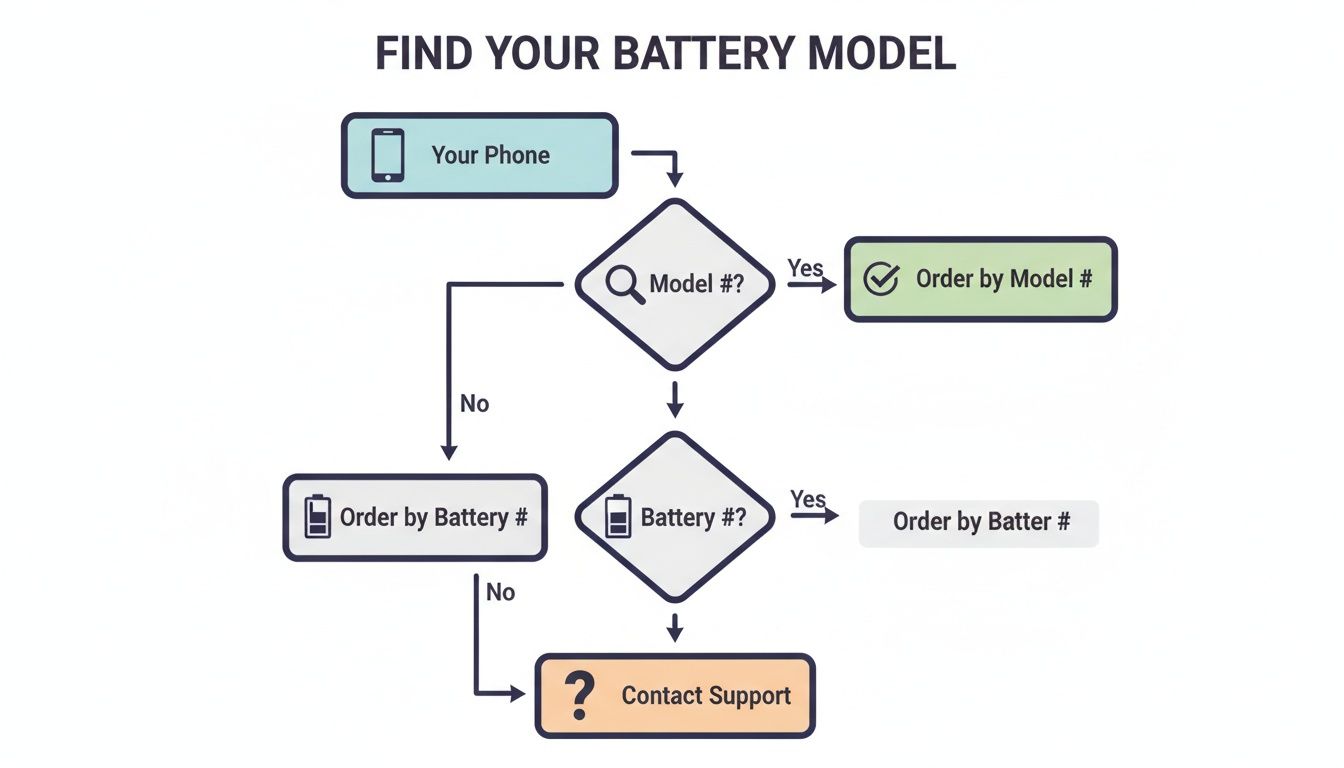 alt: A flowchart showing the process for finding the correct Samsung replacement batteries model number.
As the flowchart shows, it all starts with your phone's model number. Get that right, and you're well on your way to finding the correct battery part number.
Comparing Your Options
To lay it all out clearly, here’s a head-to-head comparison of the three types of Samsung replacement batteries.
| Feature | OEM (Original) | High-Quality Aftermarket | Refurbished Original |
|---|---|---|---|
| Performance | Excellent, matches original | Good to excellent | Very good, certified high capacity |
| Safety | Highest standards | Varies by supplier | High (original safety features) |
| Longevity | Excellent (new) | Good to very good | Good (tested for cycle life) |
| Cost | Highest | Lowest to moderate | Moderate |
| Best For | Users who want guaranteed, factory-spec performance and are willing to pay a premium. | Budget-conscious DIYers and repair shops who trust their supplier's quality control. | Eco-conscious users and technicians seeking a reliable, cost-effective OEM alternative. |
A good battery is built on solid technology. Samsung's expertise isn't just in phones; they're major players in large-scale energy projects. Take Samsung C&T's work on huge Australian battery storage facilities, like the 100MW/400MWh Mangoplah project. This shows their deep understanding of creating durable, high-performance battery tech. That industrial-grade commitment to reliability filters down to the lithium-ion cells in their phones, which is why repair professionals know that even a refurbished original Samsung battery from a trusted supplier is built on proven technology. This is especially important when you consider most phone batteries start to degrade after 300-500 charge cycles. Discover more about Samsung's role in Australian energy projects.
Whether you're a DIYer taking on a repair at home or a pro technician at a busy shop like Screen Fixed Brisbane, getting your head around these differences is crucial. It empowers you to make a smart choice that fits your needs perfectly, setting you up for a successful and lasting repair for any Samsung device.
A Quick Guide to Safely Replacing Your Samsung's Battery
So, you've picked out the right Samsung replacement battery. Now it's time to get your hands dirty with the replacement itself. While today's smartphones look intimidatingly complex, a battery swap is one of the more manageable repairs you can do—as long as you have care, patience, and the right gear. Safety is priority number one, for both you and your device.
This guide is your high-level overview of what to expect. We'll walk through the main steps, from gently opening the phone and tackling the super-strong adhesive to disconnecting the old battery and fitting the new one. Think of this as your roadmap for the journey ahead, not a detailed manual for one specific model.
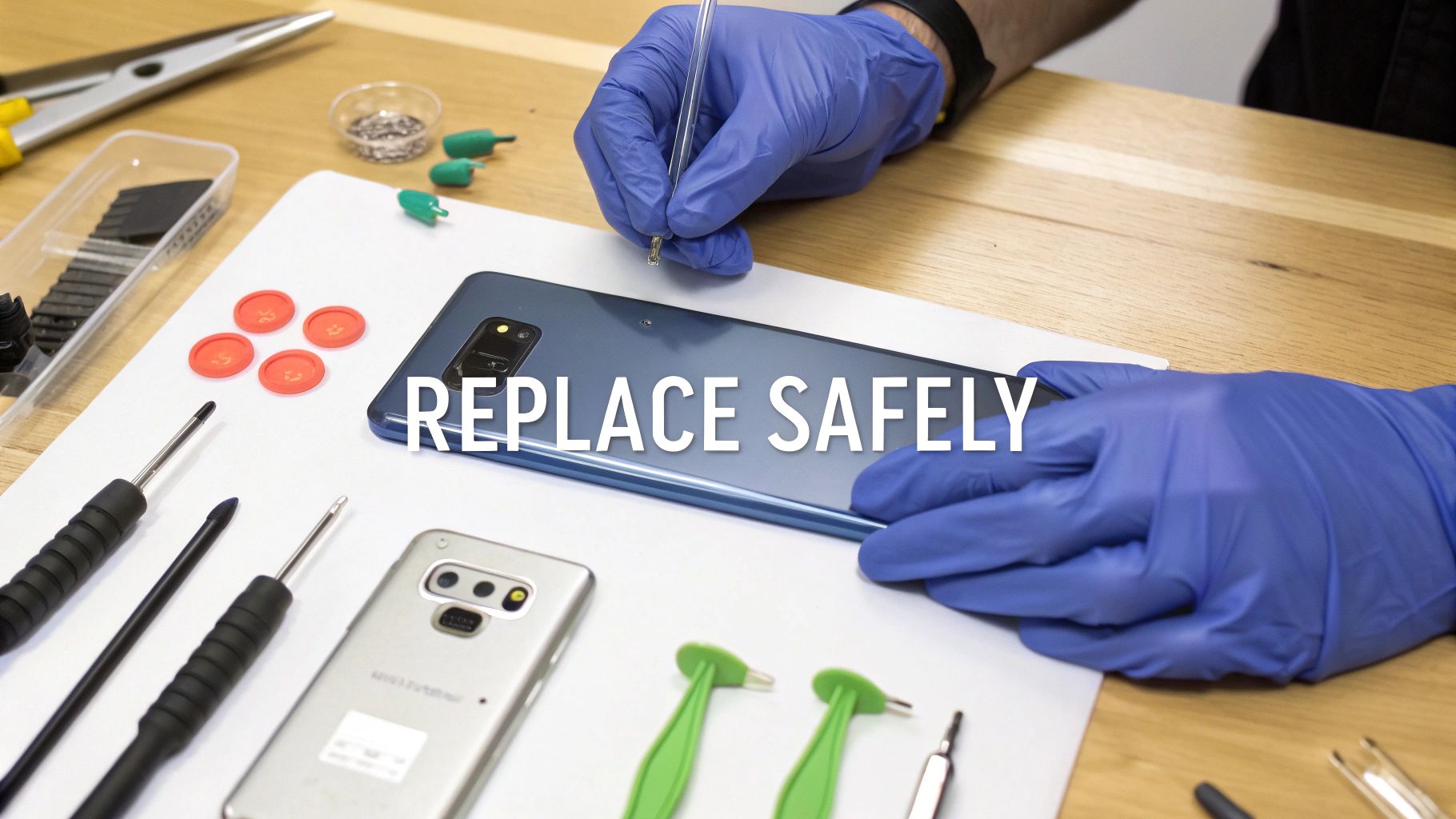 alt: A technician safely performing a Samsung battery replacement in Brisbane with correct tools.
The Essential Tools for the Job
Trying to replace a battery without the proper equipment is just asking for trouble. Grabbing household items like knives or metal screwdrivers can cause permanent damage to your phone's frame, screen, or delicate internal parts. Investing in a proper tool kit is your first real step towards a successful repair.
Here's what your basic kit should contain:
- Heat Gun or iOpener: Absolutely essential for softening the tough adhesive sealing the back glass or screen.
- Suction Cup: This gives you the leverage to carefully lift the back glass after heating, creating that crucial first opening.
- Plastic Prying Tools (Spudgers): These are your best friends for separating components and popping off tiny flex cables without causing shorts or tears.
- Precision Screwdrivers: You'll need the right size Phillips head or pentalobe bits for your specific Samsung model.
- Isopropyl Alcohol: Just a few drops can work wonders on stubborn battery adhesive, making removal much easier and, more importantly, safer.
We see it all the time—DIY repairs gone wrong because someone used the wrong tools. Plastic spudgers are non-conductive and flexible, which makes them infinitely safer for prying near the motherboard and other sensitive electronics than any metal object from your toolbox.
The Main Stages of a Battery Swap
Every Samsung model has its own quirks, but the general workflow is pretty consistent. The golden rule is to work slowly and methodically, keeping careful track of every screw and component as you go.
1. Opening the Device Safely Most modern Samsung phones are glued shut with a powerful adhesive around the edges of the back glass. Your first major challenge is to soften this glue without overheating the phone. This is the heat gun's moment to shine. Apply gentle, even heat around the perimeter to make the adhesive pliable. Then, use a suction cup to create a small gap where you can slide in a plastic pick.
2. Disconnecting the Old Battery Once you're inside, the very next thing you should always do is disconnect the battery from the motherboard. This cuts the power to the device and prevents any accidental short circuits while you're working. You'll usually find a small bracket held down by a few screws covering the connector. Remove it, then use a plastic spudger to carefully pop the battery connector off its socket.
3. Removing the Old Battery This can be the trickiest step. The battery itself is often held in place with more of that super-strong adhesive. Whatever you do, never use a metal tool to pry it out. If you puncture a lithium-ion battery, you risk causing a thermal runaway—a dangerous chemical reaction that can lead to fire or even an explosion. A safer approach is to apply a small amount of isopropyl alcohol around the battery's edges to dissolve the glue, then gently and patiently work it out with a plastic card or spudger.
If you'd like a more detailed walkthrough, our article on how to replace the battery on a Samsung Galaxy A71 is a great resource.
4. Installing the New Battery and Reassembly With the old battery gone, you're on the home stretch. Place the new battery in, using fresh adhesive strips to secure it properly. Reconnect the battery connector, screw back on any brackets you removed, and then carefully reseal the phone. Using a new adhesive frame will give you the best possible fit and seal. Following these safety-first steps is the key to a successful repair that gets your Samsung back to peak performance.
Troubleshooting Common Replacement Problems
Even the most meticulously planned repair can hit a snag. You’ve just fitted one of the new samsung replacement batteries, buttoned everything up, and… nothing. Before you panic, take a breath. Most post-replacement issues are surprisingly common and often have a simple fix. We'll walk you through how to diagnose and solve them.
Whether the phone is playing dead, the new battery refuses to take a charge, or the percentage is jumping around erratically, a calm, methodical approach is your best friend. More often than not, the problem isn't a faulty part but something tiny that was overlooked during reassembly.
The Phone Won’t Turn On
This is probably the most heart-stopping moment for any DIY-er, but it's frequently caused by a simple connection issue. That tiny flex cable linking the battery to the motherboard is delicate and needs to be seated perfectly to do its job.
Start your diagnosis here:
- Check the Connection: The first thing to do is pop the device open again and carefully re-seat the battery connector. When it’s properly in place, you should feel a faint but satisfying ‘click’.
- Examine for Damage: While you’re in there, take a close look at the connector on both the battery and the motherboard. Are there any bent pins or bits of debris getting in the way?
- Try a Charge: With the phone still open (if it's safe to do so), plug it into a charger you know for sure is working. Sometimes a brand-new battery is completely flat and needs a few minutes of charging before it has enough juice to power on the device. See if the charging icon pops up on the screen.
If it still won’t boot, there might be a more serious issue at play, but honestly, a loose connector is the culprit over 80% of the time.
The New Battery Isn’t Charging
So, you've installed the battery, the phone powers on, but when you plug it in, the charge percentage doesn't budge. This is a frustrating one, and the cause can range from a simple software hiccup to a physical hardware problem.
Often, the phone's software just needs a little help recognising the new hardware. This is where a battery calibration comes in, effectively re-teaching the operating system what 0% and 100% look like on the new cell.
Follow these steps to track down the cause:
- Inspect the Charging Port: It’s easy for a bit of dust or lint to get knocked into the charging port during the repair. Give it a gentle clean with a soft brush or a puff of compressed air.
- Rule out the Cable and Adapter: Don't assume your charging gear is fine. Test the phone with a completely different charging cable and power adapter that you know work correctly with another device.
- Perform a Hard Reset: Sometimes, all it takes is a good old hard reset (usually by holding the power and volume down buttons together) to clear up software conflicts that are preventing the phone from charging.
Erratic Battery Percentage Readings
Is your battery percentage bouncing from 40% down to 10% and then suddenly back up to 30%? This is a classic symptom of the phone’s software being out of sync with the new battery's actual capacity.
The best fix for this is a full battery calibration cycle. It sounds technical, but it’s actually a pretty straightforward process:
- Charge the phone all the way to 100% and, just to be sure, leave it plugged in for another hour.
- Now, use your phone as you normally would until it completely drains and shuts itself off.
- Let it sit, powered off, for another hour to make sure any last bit of residual charge is gone.
- Finally, charge it all the way back to 100% in one go, without unplugging it.
This single cycle gives the system a chance to accurately map the new battery's voltage levels to the percentage you see on your screen. Running through these troubleshooting steps can quickly turn a frustrating repair into a successful one, making sure your Samsung is back to performing reliably for years to come.
Why Australian Technicians Trust Fixo for Samsung Parts
Any successful Samsung repair really boils down to two things: your skill as a technician and the quality of the parts you use. For Aussie repair businesses and serious DIYers, a rock-solid parts supplier isn’t just a nice-to-have—it’s the absolute foundation of their work. This is exactly why so many techs across the country make Fixo their first call for Samsung replacement batteries and other critical components.
We get it. When you’re a pro, every single minute counts. We’ve built our entire service around speed, reliability, and trust, making sure you get what you need, right when you need it.
 alt: A warehouse desk with parts for Samsung replacement batteries, showing efficient inventory management.
Built for the Australian Repair Trade
Our entire operation is geared towards supporting the local repair industry. We know first-hand what a headache it can be to source high-quality parts without long delays, so we’ve created a seamless supply chain right here in Australia.
- Same-Day Dispatch: In the repair business, time is money. Simple as that. Get your order in before 3 pm AEST, and we’ll get it out the door from our Australian warehouses that very same business day. No more telling customers they have to wait.
- Convenient Click & Collect: If you’re a tech in Brisbane, Sydney, or Melbourne, our Click & Collect service is a game-changer. It means you can get your hands on essential parts in a matter of hours, not days.
- Competitive Wholesale Pricing: We look after our trade customers with excellent wholesale pricing across our entire range. This helps you protect your profit margins without ever having to compromise on the quality of the parts you install.
The Fixo Quality Guarantee
Trust isn't given; it's earned through consistency. That’s why we offer a carefully curated selection of premium OEM, service-pack, and refurbished original parts. This unwavering commitment to quality means you can tackle every repair with confidence, knowing the components you fit will perform flawlessly and go the distance.
The Australian battery market is absolutely massive. Back in 2017-18, a staggering 169,000 tonnes of batteries reached the end of their life. Of that, 75,900 tonnes were from consumer electronics—a market where Samsung is a giant. For our wholesale partners, this isn't just a random statistic; it’s proof of the huge, ongoing demand for quality Samsung replacement batteries. You can dig into the full report from B-cycle for more insights.
This enormous market really drives home the importance of stocking reliable, trustworthy parts. When you choose Fixo, you're not just fixing a phone. You're meeting a massive consumer need and helping to keep another device out of landfill.
If you’re hunting for guides on specific models, check out resources like our write-up on Samsung Galaxy A90 5G replacement parts. By partnering with us, Australian technicians get the premium parts, rapid speed, and dedicated support they need to succeed.
Frequently Asked Questions
When you're diving into the world of Samsung replacement batteries, it's only natural to have a few questions pop up. To help you get the answers you need, we've put together some of the most common queries we hear from both seasoned technicians and first-time DIYers.
How Can I Check My Samsung Battery Health?
The simplest, most direct way is right on your device. Just open the Samsung Members app, head over to the 'Diagnostics' section, and run the battery status check.
If you're looking for a more real-world indicator, just pay attention to how your phone behaves. Is it draining more than 15-20% per hour with just normal use? Does it suddenly power down even when the indicator says it has over 10% charge left? These are classic signs that your battery is on its last legs.
Does Replacing the Battery Remove Water Resistance?
In short, yes. The moment you open your phone's frame, you break the original factory seal that keeps water and dust out.
While you can (and should) apply a new adhesive frame when you put everything back together, it's nearly impossible to perfectly replicate the original IP rating. For peace of mind, it's always best to assume your phone is no longer water-resistant after any internal repair.
What Is the Cost to Replace a Samsung Battery in Australia?
The cost really comes down to the model you have and whether you do it yourself or hire a pro.
If you're tackling the job yourself, a high-quality replacement part will typically set you back somewhere between $30 and $80. If you'd prefer to have an expert handle it, a professional service from a trusted local repairer like Screen Fixed Brisbane will usually range from $90 to $200. That price covers both the new battery and the technician's time and expertise.
What Is Battery Calibration and Why Is It Important?
Think of calibration as teaching your phone's software to properly talk to your new battery. It syncs the software's readings with the battery's true capacity, so that 100% really means 100%.
After you've installed the new battery, charge your phone all the way to 100% and let it sit on the charger for another hour. Next, use the phone normally until it completely dies and shuts itself off. Finally, charge it back up to 100% in one go, without unplugging it. That's it!
Once you've swapped in your new Samsung battery, you'll be left with the old one. It's crucial to dispose of it properly. For helpful information on how to handle electronic waste responsibly, including details on where to recycle cell phones, be sure to check out local electronics recycling resources. This ensures your old battery is handled safely and doesn't harm the environment.
Disclaimer: All third-party trademarks, such as Samsung, are the property of their respective owners. Screen Fixed is an independent repair service and is not affiliated with Samsung.
If you'd rather leave it to the professionals, we're here to help. Book your repair with Screen Fixed Brisbane today.